Near-Wall Modeling and Conjugate Heat Transfer Analysis
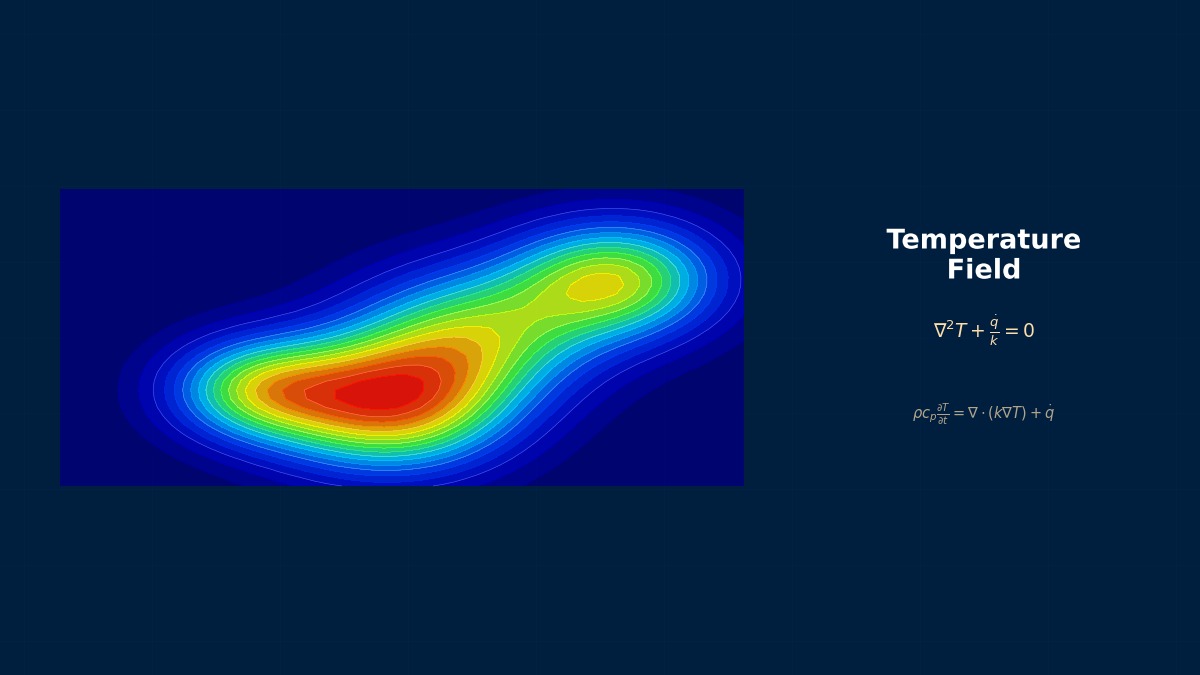
Near-Wall Modeling and Conjugate Heat Transfer: Theoretical Foundations
Near-Wall Modeling and Conjugate Heat Transfer: Theoretical Foundations
In CHT analysis, what specific physical phenomenon does the term "conjugate" refer to? How is it different from simply calculating the fluid and solid separately?
Good question. Conjugate means that the heat flux and temperature are continuously connected at the interface between the fluid and solid. When calculating separately, you need to "assume" the heat flux or temperature at the boundary, but in CHT this assumption becomes unnecessary. Specifically, the solver performs a coupled calculation internally to directly satisfy the condition that the wall heat flux on the fluid side
To accurately capture heat transfer at the wall, why is the dimensionless number
I've heard that the time scales for heat conduction in the solid and convective heat transfer in the fluid are vastly different. How does this affect the convergence of CHT analysis?
That's correct, and this is one of the core numerical difficulties of CHT analysis. For example, the thermal diffusion time scale for an aluminum fin (solid) is on the order of seconds, but for a high-speed airflow (fluid) it's on the order of milliseconds. To solve this stiff problem, Ansys Fluent recommends the "Pseudo-Transient" solver by default. Convergence can be dramatically improved by setting different pseudo-time steps for the solid and fluid, or by individually setting the "solid region time scale" specifically for the heat conduction equation.
Computational Methods for Near-Wall Modeling and Conjugate Heat Transfer
Computational Methods for Near-Wall Modeling and Conjugate Heat Transfer
In CHT analysis, how is the fluid-solid interface handled on the mesh? Are there differences in calculation accuracy or setup between "matching mesh" and "non-matching mesh"?
In practice, "non-matching mesh" is almost always used because the optimal mesh size differs for fluid and solid. For example, in Siemens Star-CCM+, you define an "Interface," and heat flux and temperature information is interpolated and transferred across that surface. At this point, if the mesh density difference is too large (e.g., more than 10 times), interpolation error becomes non-negligible. As a general guideline, it is recommended to keep the size ratio of adjacent cells within a factor of 3 and avoid extreme aspect ratios for the interface surface mesh.
When generating mesh near the wall and determining the thickness of the first layer in the boundary layer mesh,
That's precisely the practical dilemma. Therefore, a method of performing a preliminary calculation with a coarse mesh beforehand to estimate the wall shear stress
In steady-state CHT analysis, how should the solver's "relaxation factors" be adjusted? Should they be set separately for fluid and solid?
They absolutely should be set separately. Default values (e.g., the energy equation relaxation factor is 0.9 in Fluent) are for pure fluid analysis. In CHT, the update of the temperature field in the solid region has a significant impact on the fluid side. My rule of thumb is to lower the relaxation factor for the solid's energy equation to 0.5 or below (sometimes 0.2), while maintaining 0.8-0.9 for the fluid side. This prevents drastic fluctuations in solid temperature from causing divergence. Abaqus/CFD also allows similar "stabilizing" parameters to be set individually.
Near-Wall Modeling and Conjugate Heat Transfer in Practice
Near-Wall Modeling and Conjugate Heat Transfer in Practice
Is there a reliable workflow when starting a CHT analysis like for an electronics cooling fin? I've heard it's risky to jump into a fully coupled calculation right away.
That's correct. A step-by-step approach is essential. The standard workflow I recommend is this: 1) Perform a heat conduction analysis of the solid only to check if the temperature of the heat source is within the allowable range. 2) Perform a fluid-only CFD analysis to understand the pressure loss and flow pattern in the channel. At this stage, assume an "equivalent heat transfer coefficient" for the solid walls. 3) Use the results from 1 and 2 as initial values to start the actual CHT analysis. Following this procedure makes it easier to isolate whether a divergence in the CHT calculation is due to mesh, material properties, or something else.
Is there a specific checklist for verifying the results of a CHT analysis? "It converged" alone isn't enough, right?
Absolutely. At a minimum, confirm the following five points: 1) Heat flux balance at the interface (the difference between the incoming heat flux from fluid to solid and the heat flux calculated on the solid side should be within 1%). 2) The temperature history at representative points has reached steady state. 3) The average and maximum wall
Is there value in comparing the results of a simple calculation like a thermal resistance network with those of a CHT analysis?
It's very important. The thermal resistance network serves as a "sanity check." For example, if a simple calculation considering fin efficiency gives a junction temperature of 120°C, but the CHT analysis gives 80°C, something is wrong. Omitted calculation conditions (like unconsidered contact thermal resistance) or insufficient mesh (failing to capture the actual heat flow path) are suspected. Conversely, if both agree within 10%, it's strong evidence that there are no major errors in the basic setup of the CHT model. It's practical to use simple calculations for initial design trade-off analysis and CHT analysis for detailed design optimization.
Near-Wall Modeling and Conjugate Heat Transfer: Software & Solver Comparison
Near-Wall Modeling and Conjugate Heat Transfer: Software & Solver Comparison
Are there significant differences in the setup procedure or philosophy for CHT analysis between Ansys Fluent and Siemens Star-CCM+?
The fundamental physics are the same, but the user interface and workflow philosophy differ. Fluent takes a bottom-up approach, where you set fluid/solid per "Cell Zone" and connect them with an "Interface." On the other hand, Star-CCM+ takes a top-down approach, where you select a dedicated continuum model called "Conjugate Heat" and define regions within it. Star-CCM+ has more intuitive setup and powerful automatic interface generation, but Fluent excels at fine-grained control (e.g., applying different heat transfer models per interface).
COMSOL Multiphysics markets "multiphysics" as its strength. For CHT analysis, what are its advantages compared to Fluent or Star-CCM+?
COMSOL's greatest strength is the ease with which a "third physics field" can be added to the fluid-solid thermal coupling. For example, in the cooling analysis of a Peltier element, the "electric current" field couples in addition to conduction and convection. Trying to do this in Fluent would require User-Defined Functions (UDFs), which is a high barrier. Also, a feature of COMSOL is the ability to directly combine shape optimization or topology optimization with CHT. Its weakness is in complex, high-Reynolds number turbulence modeling, where it has less track record and tuning options compared to Fluent or Star-CCM+. It is more suited for microchannel or MEMS device cooling than for turbulent-dominated automotive engine cooling.
What are the advantages of doing CHT in Abaqus/CFD (or Abaqus Unified FEA)? It's a structural analysis software.
The biggest advantage is seamless connection to "thermal stress." In Abaqus, the temperature field obtained from CHT analysis can be directly read to calculate stress and deformation due to thermal expansion. The workflow is unified, eliminating data transfer risks. Also, it is very strong at handling nonlinearities on the solid side (temperature-dependent material properties, contact thermal resistance, etc.). On the other hand, the fluid solver's capabilities are more limited compared to Fluent or Star-CCM+, and it is not suited for complex turbulence models or multiphase flow. It shows its true value in problems where solid mechanics are important, like brake disc fade analysis (frictional heating → temperature rise → thermal deformation).
Near-Wall Modeling and Conjugate Heat Transfer: Common Issues & Debugging
Troubleshooting
In CHT analysis, the calculation oscillates and doesn't converge to a steady state easily. What are the first causes and countermeasures to suspect?
First, suspect that "the thermal coupling at the interface is too strong." The countermeasure is two-stage. First, as mentioned earlier, lower the relaxation factor for the solid's energy equation (to something like 0.3). Second, use the software's features. Fluent has a hidden parameter-like "CHT relaxation factor" to "weaken thermal coupling," but a more reliable method is "staged calculation." For the first 100 iterations, calculate only the fluid with the solid temperature fixed, then start the coupling. This prevents the initial large temperature jump.
The heat flux balance at the interface is significantly off (difference over 20%). What are the possible causes?
This is a serious problem. There are three main causes. 1) **Mesh Coarseness**: If the mesh becomes abruptly coarse across the interface, interpolation error increases. Especially if the mesh near the wall on the solid side is coarse, the calculation accuracy of the temperature gradient
I got a non-physical result where "wall heat flux is extremely high locally." It doesn't go away even when I refine the mesh.
It's time to look for causes other than mesh. First, suspect **discontinuity in material properties**. For example, at a contact surface inside the solid where different materials meet, if the thermal conductivity changes drastically, it is physically possible for the calculated heat flux there to become very high. However, if it's unrealistically high, it could be a setting error for contact thermal resistance, or that surface might be unintentionally double-counted as an "interface." Second, **mismatch between turbulence model and wall treatment**. If
The computation time for CHT analysis is enormous. Are there practical methods to speed it up without significantly compromising accuracy?
There are several strategies. 1) **Utilize 2D rotational/periodic symmetry models**: If the actual object has symmetry, model only a portion of it. This alone can reduce mesh count to 1/4 or 1/8. 2) **Simplify the solid domain**: Omit parts like bolts or mounts that contribute little to heat transfer from the analysis, or represent them with equivalent thermal resistance. 3) **Multi-scale modeling**: Use "submodeling" techniques where a coarse mesh is used for large solid domains like the entire fin, and fine mesh is applied only to critical parts like around a heat-generating chip. 4) **Leverage the solver**: Ansys Fluent's "Coupled" solver may use more memory but can significantly reduce iteration count, sometimes resulting in faster overall computation. I recommend trying 1) and 2) first.
Related Topics
Experience the theory firsthand with the interactive simulator for this field
All Simulators