AI draws it. AI checks it.
Engineering design for the AI era.
Sketch a shape with image AI, let AI build the model in Blender, and NovaSolver Studio computes its strength, heat and flow. You learn whether the design will hold before anything is made. Free software and AI, connected from idea to verification.
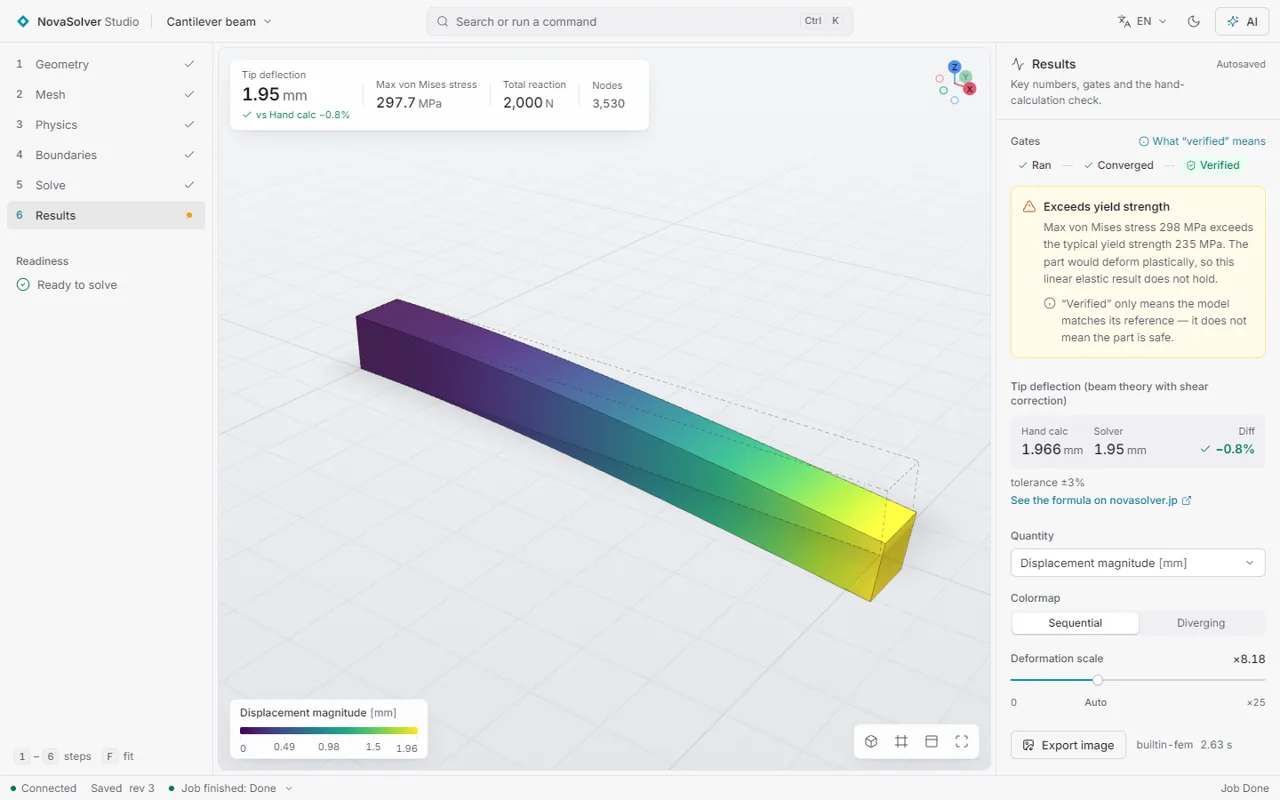
Draw → model → check
From the first idea to the strength check. You can hand every step to AI.
Draw it with AI
Describe what you want to make and let image AI sketch the shape.
Image AI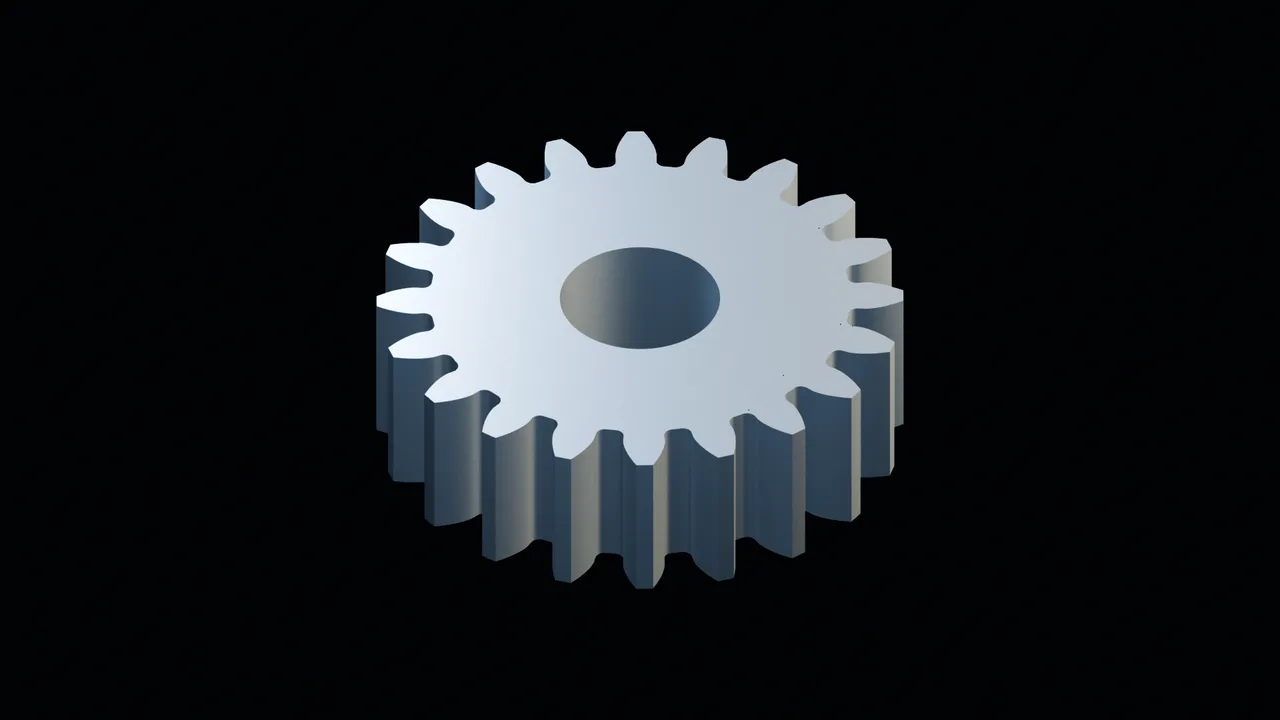
Model it in Blender
AI drives Blender to build a 3D model to exact dimensions and exports it as STL.
Blender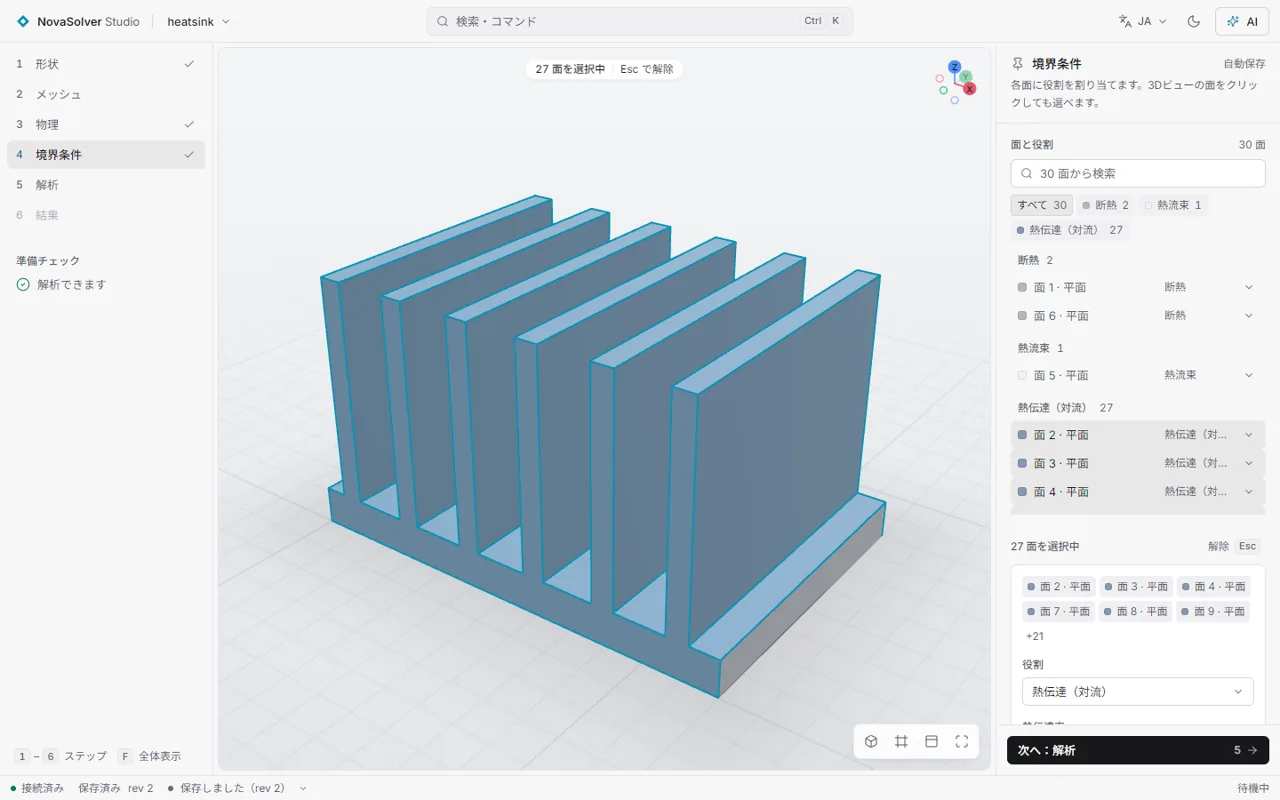
Load it into Studio
Load the shape and click the faces to fix and to load. Or ask your AI: "fix the bottom, push 500 N on the top".
STL · STEP · IGESCompute and check
Stress, temperature and flow are computed, and Studio grades whether the answer can be trusted, up to "verified".
NovaSolver StudioWhat checking with CAE gets you
It turns "looks strong enough" into "a design checked by calculation", for a company's products and for things you make yourself.
Optimise the shape
The AI makes a shape, Studio evaluates it, and the AI reshapes it from the result. Each round moves you toward a part that is lighter and uses less material while staying strong.
Say "safe up to X kg" with a number
Stress, deflection and margin to the material's strength under the load you expect, as numbers checked for mesh convergence. A basis for the ratings and limits you publish.
Example: a 3D-printed shelf bracket (PLA) with about 50 kg → 0.15 mm deflection, stress about 1/15 of the material's strength
Stand out from look-alikes
Among products that look the same, "a design checked by simulation" is a reason to choose yours. Show it in catalogues, quotes, shop pages and crowdfunding campaigns.
Build fewer prototypes
Do the make-break-fix loop on screen first, and spend material and time only on the prototypes you really need.
Simulation results support a design; they are not a warranty. Before you guarantee a product, account for material scatter and the manufacturing process, and add physical tests where needed.
No analysis expert. No expensive licence.
CAE used to belong to companies that could afford costly software and a dedicated specialist. With NovaSolver Studio you can start without either.
Starts at zero cost
Free and open source. No licence fees and no seat limits.
AI fills in the know-how
Ask an AI agent in plain words to set the conditions, mesh, solve and read the results.
Trustworthy answers for any shape
Studio refines the mesh, solves again and checks that the answer has settled, even for a shape drawn a minute ago.
What you need
An AI agent and a PC take you from drawing to verification. Everything else is free software.
| You need | What it does | Cost |
|---|---|---|
| An AI agent (Claude Code, Codex, etc.) | Draws the image, builds the model in Blender, sets up and solves the case in Studio | The service's plan |
| A PC (Windows 10/11) | Runs all the software. 16 GB of memory or more recommended | The one you have |
| Blender | Builds the 3D model and exports it as STL | Free |
| NovaSolver Studio | Computes strength, heat and flow and checks the answer | Free |
| Image AI (optional) | Turns the idea into a picture. A hand sketch or a photo works too | Optional |
What you can solve
| Analysis | Typical use | Solver |
|---|---|---|
| Structural (linear static) | Bracket strength, deflection, stress concentration | Built-in FEM (seconds) · CalculiX |
| Thermal (steady conduction) | Heat sinks, insulation, fins | Built-in FEM · CalculiX |
| Internal flow | Pipe pressure drop and flow rate | OpenFOAM® |
| Flow around a body | Drag and lift, wind or water loads | OpenFOAM® (mesh with wall layers) |
| Water cooling (conjugate heat transfer) | Cold plates, liquid-cooled parts | OpenFOAM® (fluid and solid solved together) |
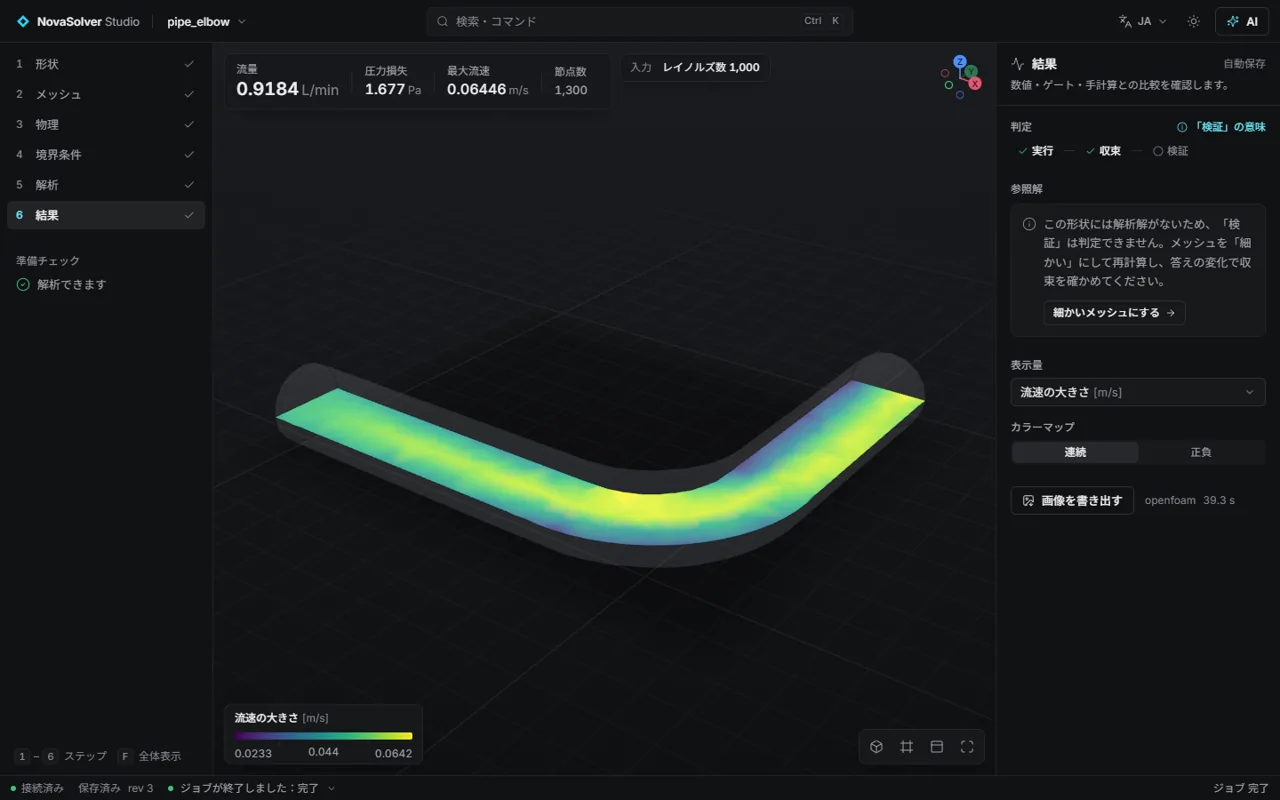
Verification on standard problems7 cases
| Problem | Reference | Studio | Difference |
|---|---|---|---|
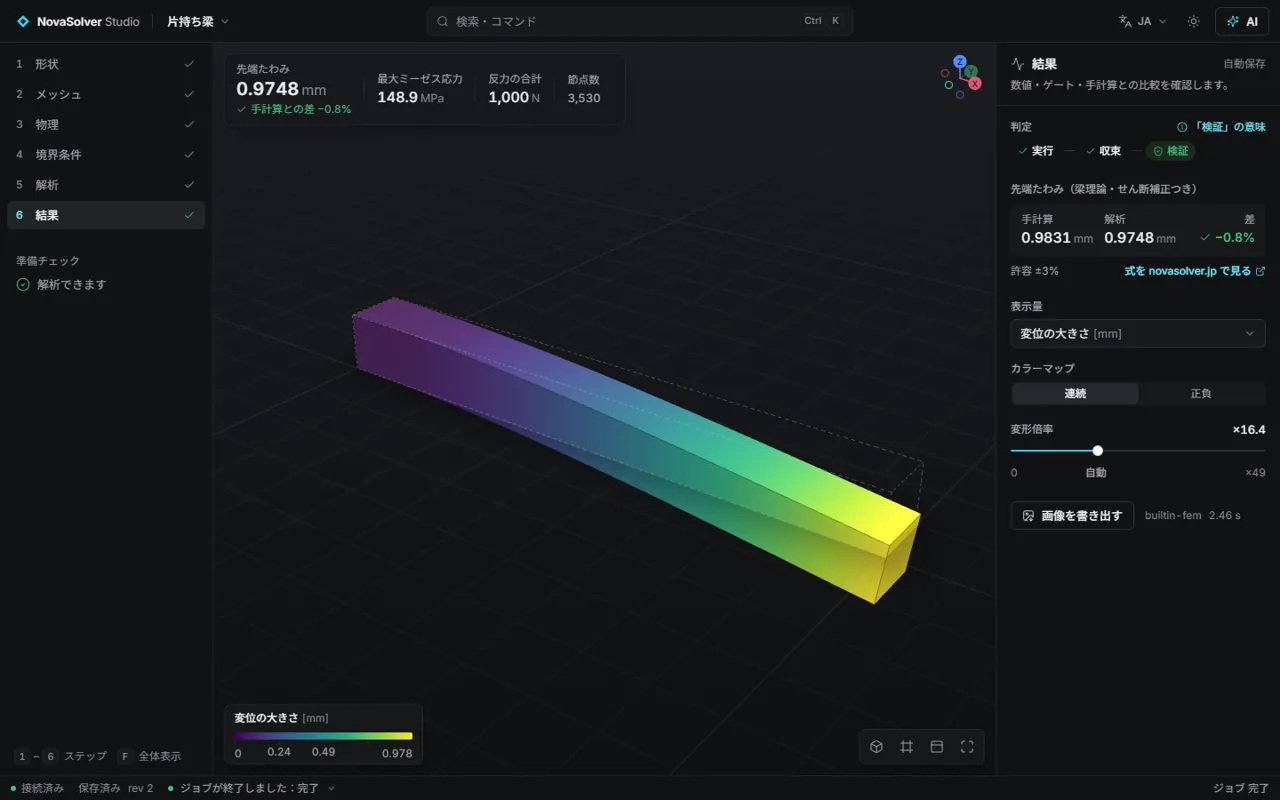
| Cantilever tip deflection | Beam theory with shear correction | 0.9748 mm | −0.85% |
| Plate with a hole (stress concentration) | Heywood, Kt = 2.512 | 2.527 | +0.6% |
| Heat flow through a block | Fourier's law, 40 W | 40.000 W | 0.00% |
| Cooling fin heat loss | Fin theory, 5.066 W | 5.064 W | −0.05% |
| Lid-driven cavity (Re = 100) | Ghia et al. (1982) | mean centreline-u difference | 0.12% |
| Flow between plates | Poiseuille flow | outlet centre velocity | −0.23% |
| Sphere drag (Re = 100) | Schiller–Naumann, Cd = 1.092 | 1.095 | +0.3% |
Ask your AI assistant to solve it
Studio speaks MCP (Model Context Protocol). Ask Claude or another assistant: "Fix the bottom face of this part, push 500 N on the top, and tell me whether it is verified." The assistant sets up and runs the case and reports back. Its edits appear live in the GUI, so you can review them.
There is no general shell or code-execution tool. The AI never writes solver files directly; it fills in checked input fields only.
Getting started (Windows)
- Download the zip from GitHub Releases and unpack it (no installation).
- Double-click
NovaSolverStudio.exe. The app opens in your browser. - Structural and thermal analyses work right away (built-in solvers and CalculiX are included).
- For flow, install OpenFOAM® (ESI Windows package, about 200 MB) to
%LOCALAPPDATA%\NovaSolverStudio\solvers\openfoam. No admin rights needed.
The preview is not code-signed yet. If Windows shows a warning, choose "More info → Run anyway". The zip's SHA-256 is listed on the Releases page.