Conjugate Heat Transfer (CHT) Analysis Methodology
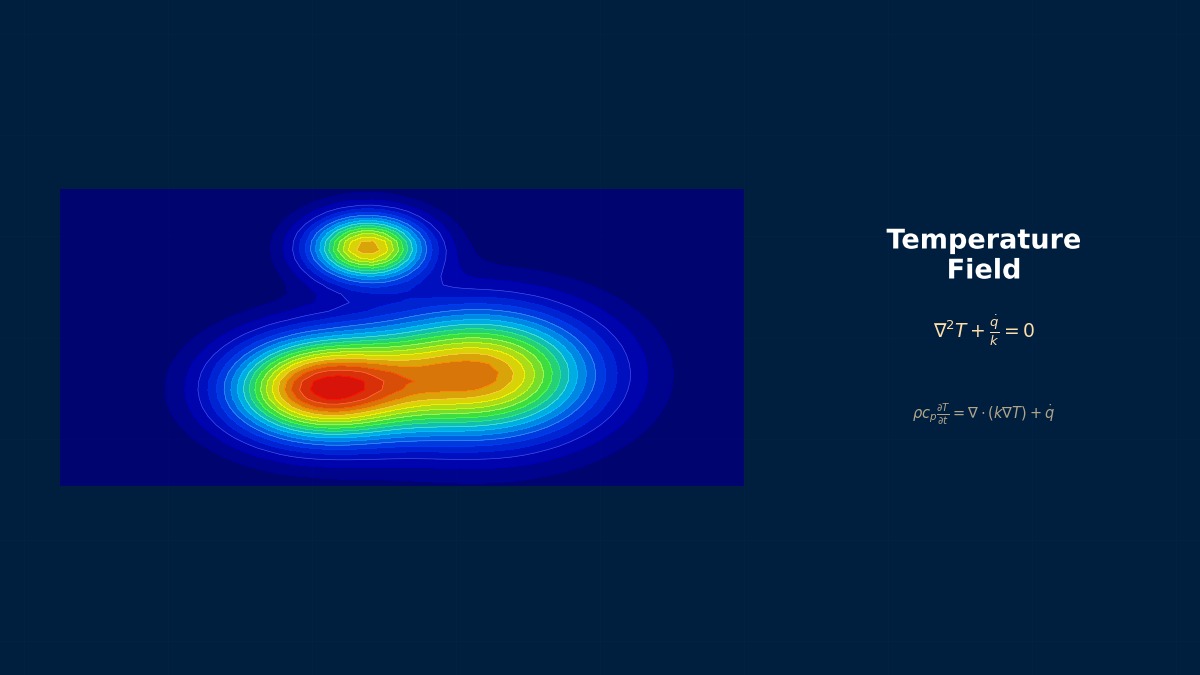
Conjugate Heat Transfer (CHT) Analysis Methodology: Theoretical Foundations
Fundamental Concepts of Conjugate Heat Transfer
Does Conjugate Heat Transfer (CHT) analysis have a special meaning beyond simply "doing fluid and solid thermal analysis together"?
That understanding is half correct and half incorrect. The important point is "solving while directly satisfying the continuity of heat flux and temperature at the shared interface boundary." In traditional sequential analysis, the heat transfer coefficient (h) obtained on the fluid side was given as a boundary condition for the solid side, but in CHT, that assumption becomes unnecessary. For example, in an automobile brake disc, thermal bulging occurs when the disc surface temperature exceeds 400°C, changing the flow path shape of the fluid (air). Capturing such strong coupling phenomena is the essence of CHT.
Are the governing equations solved separately as the fluid's Navier-Stokes equations and the solid's heat conduction equation?
Mathematically, they are treated as a single system of simultaneous equations. When discretizing by separating the domain into fluid (f) and solid (s), it is expressed in the following block matrix form.
How are the conditions at the interface specifically expressed by equations?
There are two most basic conditions. First, temperature continuity:
Computational Methods for Conjugate Heat Transfer (CHT) Analysis Methodology
Discretization and Solver Selection
The governing equations and discretization methods are different for fluid and solid, so how can they be incorporated into a single system of equations?
Internally, software uses a "multiphysics coupling" framework. For example, COMSOL Multiphysics constructs a single Jacobian matrix integrating the weak forms of each physics field. On the other hand, segregated solvers like Ansys Fluent adopt a "partitioned coupling" method, where the fluid and solid domains are solved separately while updating the interface conditions at each iteration step. In the latter case, the heat conduction equation for the solid side is often discretized using FVM (Finite Volume Method) within the fluid solver.
How is the solver iteration control handled? Do you solve fluid and solid once each and finish?
No, it repeats until convergence. A typical workflow is as follows: 1. Solve the fluid equations for several iterations (e.g., 5 times). 2. Pass the obtained interface temperature/heat flux to the solid domain. 3. Fully solve the solid heat conduction equation. 4. Pass the solid-side interface conditions to the fluid side. Repeat steps 1–4 until the residual of heat flux at the interface falls below, for example, 1e-06 W/m². To improve the convergence of this "outer loop," relaxation factors (0.5–0.8) similar to the SIMPLE algorithm can be set.
Can meshes be created independently for fluid and solid? Or is it necessary to match nodes at the interface?
It depends on the software. In Co-simulation coupling Abaqus/Standard (FEM) and CFD (Fluent/Star-CCM+), data is transferred via interpolation even if the meshes are non-matching. However, for the "Solid Region" feature within Ansys Fluent or the "Conjugate Heat Transfer" model in Siemens Star-CCM+, it is recommended to match the meshes at the interface (conformal mesh). When using non-matching meshes, special interpolation techniques (such as GGI: General Grid Interface) are required to guarantee heat flux conservation, increasing computational cost by about 5–10%.
Conjugate Heat Transfer (CHT) Analysis Methodology in Practice
Analysis Workflow and Verification
When actually starting a CHT analysis, what should be checked first?
First, judge "whether CHT is necessary." Calculate the dimensionless Biot number
What points require particular attention in mesh creation?
The mesh resolution near the interface is everything. On the solid side, apply at least 3–5 layers of boundary layer mesh (inflation layer) from the interface where steep temperature gradients occur. A guideline for its thickness is the thermal penetration length
How should convergence be judged? Is it okay to just look at residuals?
Monitoring residuals alone is insufficient. What must always be monitored is the "net heat flux at the interface." Monitor the difference between the inflow heat flux from fluid to solid and the outflow heat flux from solid to fluid (opposite sign in calculation), and confirm that this falls within the energy balance error of the entire computational domain (e.g., below 0.1%). Also, plot the temperature history of representative points (hotspot inside the solid, a point on the interface) to check if a steady state has been reached. In Ansys, use "Surface Report" -> "Heat Transfer Rate"; in Star-CCM+, use the "Interface Flux Balance" report.
Conjugate Heat Transfer (CHT) Analysis Methodology: Software & Solver Comparison
Features and Application Examples of Each Solver
How do the CHT approaches differ among Ansys, Siemens, and COMSOL?
There are fundamental differences in architecture. Ansys primarily uses an integrated approach solving FVM-based fluid and solid within "Fluent." On the other hand, "Co-simulation" linking Abaqus (FEM) and Fluent (FVM) runs each solver in parallel via MPI communication, periodically exchanging interface data. This is strong for complex structural thermal stress analysis like engine mounts. Siemens Star-CCM+ sticks solely to FVM, advocating "multiphysics coupling" where fluid, solid, and even electromagnetic fields are all solved within the same FVM framework. COMSOL Multiphysics is FEM-based and adopts a "fully coupled" approach, formulating and solving all physics fields as a single system of equations.
Do computational speed and suitability for large-scale parallel computing differ by software?
They differ significantly. Generally, Fluent and Star-CCM+, which couple within a single codebase in memory, have less data transfer overhead and exhibit higher scaling efficiency in large-scale parallel computing (1000+ cores). Star-CCM+ in particular has strengths in its proprietary parallelization technology. Co-simulation (Abaqus+Fluent) tends to have reduced parallel efficiency because data exchange between the two solvers (typically every timestep) becomes a bottleneck. COMSOL's fully coupled approach offers high accuracy, but the Jacobian matrix tends to become large and dense, sometimes requiring direct solvers, making memory consumption and computation time challenging. In benchmarks, there have been cases where Fluent's CHT was about 15% faster than Star-CCM+ for a 10-million element problem (hardware dependent).
Is CHT not possible with free/low-cost software?
It is possible with open-source software. The `chtMultiRegionFoam` solver in OpenFOAM enables FVM-based CHT analysis. However, preprocessing (mesh creation, boundary condition setting) and postprocessing are more labor-intensive compared to commercial software. Also, there are methods combining CalculiX (FEM structural solver) and Elmer (multiphysics FEM solver). Commercially, Autodesk CFD offers CHT functionality at a relatively low price, but it is inferior to high-end software in the richness of turbulence models and complex physical models. Starting with academic benchmarks (e.g., CHT in a T-pipe) in OpenFOAM offers good cost performance.
Conjugate Heat Transfer (CHT) Analysis Methodology: Common Issues & Debugging
Common Errors and Countermeasures
The analysis doesn't converge at all. The interface temperature oscillates and diverges. Why?
The most common causes are "thermal capacity mismatch" and "difference in timescales" between fluid and solid. The thermal diffusivity of solid (e.g., steel)
A warning "Interface heat flux imbalance" appears. Does this mean the energy conservation law is not satisfied?
That warning means numerical error has exceeded the tolerance. There are three main causes. 1. Non-matching mesh: The mesh is not matched at the interface, causing large interpolation error. Apply conservative interpolation like GGI or match the meshes. 2. Insufficient convergence: The calculation was stopped before the outer loop (fluid←→solid iteration) sufficiently converged. Check the residual history of interface heat flux. 3. Omitted boundary condition: For example, heat generation (Joule heating, etc.) is set on the solid side, but there is no corresponding term (e.g., radiation) in the fluid-side energy equation. First, verify with a simple steady-state heat conduction problem with no heat generation or external heat flux whatsoever, comparing with analytical solutions to see if interface balance is achieved.
In transient CHT, making the timestep smaller actually makes the results strange. Why?
That is a problem of "numerical oscillation" or "conditional stability." It particularly occurs with explicit methods or when the data exchange interval (Coupling Frequency) in Co-simulation is set coarser than the timestep. For example, if the fluid timestep is 1e-4 seconds and the data exchange interval is 1e-3 seconds, the solid remains with old boundary conditions while the fluid advances 10 steps. This creates instability. Countermeasures: 1. Make the data exchange interval match the fluid timestep ("exchange every step"). 2. Use an implicit method. 3. Try turning off "subcycling" which uses different timesteps for solid and fluid. In Star-CCM+, enabling the "Implicit Coupling" option can mitigate this problem.
During parallel computation, if domain partitioning crosses the interface, the calculation may stop or results become strange.
This is a major pitfall of parallelization for CHT. In CHT, the cells/faces constituting the interface must not be split across different processors (CPU cores). This is because calculating interface conditions requires information from both sides (fluid and solid) to be in the same memory space. Countermeasure: In the preprocessor, set domain partitioning so that it "does not cross the interface." In Ansys Fluent, specify the interface as `boundary` in "Mesh/Partition/Domain" before partitioning. In Star-CCM+, use "Partition Surface" to protect the interface. If using automatic partitioning, always perform this check. This error can cause interface heat flux to locally become double or zero.
Related Topics
Experience the theory firsthand with the interactive simulator for this field
All Simulators