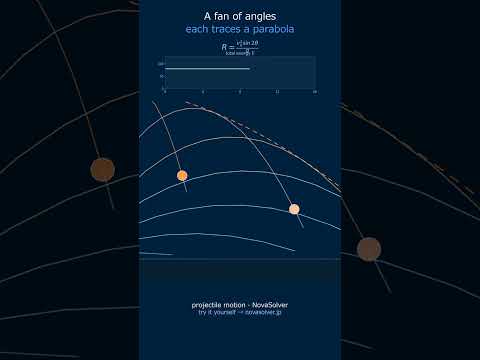
Adjust initial velocity and acceleration with sliders to watch x-t, v-t, a-t graphs update in real time. Follow the animated particle and build intuition for the SUVAT equations of uniformly accelerated motion.
Uniformly accelerated motion occurs when acceleration remains constant over time. It is one of the most fundamental motion types in physics and underpins numerical integration methods in CAE simulations.
Near Earth's surface (ignoring air resistance) a falling object accelerates at $g \approx 9.8 \, \mathrm{m/s^2}$. Other examples include a car braking at constant deceleration or a train accelerating from rest to cruising speed under constant traction.
Reading the x-t Graph
The x-t graph shows position on the vertical axis and time on the horizontal axis. For constant acceleration it is a parabola (quadratic curve).
Slope of the tangent = instantaneous velocity at that point
Drop test (CAE): Before impact, a product in free fall undergoes constant-acceleration ($g$) motion — the benchmark for dynamic FEA validation.
Railway acceleration: The traction phase from rest to cruising speed is designed to be near-constant-acceleration for passenger comfort.
Link to CAE Simulation
Finite element and multi-body dynamics solvers integrate the equation of motion $F = ma$ numerically to advance position and velocity. The constant-force case (uniform acceleration) is the simplest possible benchmark for verifying the accuracy of a time-integration scheme.
💬 Concept Check Conversation
🙋
Student
I set v₀ = 10 m/s and a = −5 m/s². The x-t graph goes up and then comes back down. Why does the position decrease after a while?
🎓
Professor
The acceleration is acting like a brake. You launch at 10 m/s, but the velocity drops by 5 m/s every second. At t = 2 s the velocity hits zero — that's the turnaround point. After that the object moves backwards (negative velocity) and accelerates away from the origin. The peak of the x-t parabola corresponds exactly to that zero-velocity instant. Check the v-t graph: the line crosses zero at t = 2 s, which matches the x-t peak perfectly.
🙋
Student
You mentioned the area under the v-t graph equals displacement. How would I find the displacement from t = 0 to t = 4 s?
🎓
Professor
Add the signed areas. From t = 0 to 2 s: triangle with base 2 and height 10 → area = +10 m. From t = 2 to 4 s: triangle with base 2 and height −10 → area = −10 m. Total = 0 m — the object returns to its starting position! Cross-check with the formula: x = 10×4 + ½×(−5)×16 = 40 − 40 = 0. Perfect match.
Physical Model & Key Equations
The simulator is based on the governing equations of Uniform Acceleration Simulator. Understanding these equations is key to interpreting the results correctly.
Each parameter in the equations corresponds to a slider in the control panel. Moving a slider changes the equation's solution in real time, helping you build a direct connection between mathematical expressions and physical behavior.
Frequently Asked Questions
When you move the slider, the corresponding physical quantity changes instantly, and the three graphs (x-t, v-t, a-t) are redrawn in real time. At the same time, the animation is also updated, and the motion of the object changes according to the new conditions, allowing for intuitive understanding.
Currently, there is no individual adjustment function for animation speed, but by changing the acceleration or initial velocity with the slider, the speed of the object's motion itself changes. Additionally, while the simulation time range is fixed, we are considering scaling the time axis as needed.
In the current version, the initial position is fixed (usually 0), but by setting negative values for initial velocity or acceleration, you can observe the object moving in the opposite direction. It is also plotted in the negative region on the graph, which helps in learning the symmetry of uniformly accelerated motion.
Since it reproduces ideal uniformly accelerated motion ignoring air resistance and friction, it cannot replace actual experiments. However, it is very effective as a learning tool for understanding physical laws and intuitively grasping how motion changes when parameters are varied.
Real-World Applications
Engineering Design: The concepts behind Uniform Acceleration Simulator are applied across mechanical, structural, electrical, and fluid engineering disciplines. This tool provides a quick way to estimate design parameters and sensitivity before committing to full CAE analysis.
Education & Research: Widely used in engineering curricula to connect theory with numerical computation. Also serves as a first-pass validation tool in research settings.
CAE Workflow Integration: Before running finite element (FEM) or computational fluid dynamics (CFD) simulations, engineers use simplified models like this to establish physical scale, identify dominant parameters, and define realistic boundary conditions.
Common Misconceptions and Points of Caution
Model assumptions: The mathematical model used here relies on simplifying assumptions such as linearity, homogeneity, and isotropy. Always verify that your real system satisfies these assumptions before applying results directly to design decisions.
Units and scale: Many calculation errors arise from unit conversion mistakes or order-of-magnitude errors. Pay close attention to the units shown next to each parameter input.
Validating results: Always sanity-check simulator output against physical intuition or hand calculations. If a result seems unexpected, review your input parameters or verify with an independent method.
Set initial velocity v0 (m/s) using the v0-slider, range typically -20 to +20 m/s
Set acceleration a (m/s²) using the a-slider, range typically -10 to +10 m/s²
Adjust tmax-slider to set simulation duration; graphs and particle animation update in real-time showing position x, velocity v, and acceleration a traces
Monitor output labels for current position (m), instantaneous velocity (m/s), and stop time when v reaches zero
Worked Example
A vehicle at v0=15 m/s with a=-2 m/s² (braking). At t=7.5s, the vehicle stops (v=0). Position equation x=v0·t + 0.5·a·t² gives x=15(7.5)+0.5(-2)(7.5)²=112.5-56.25=56.25m. The v-t graph shows linear decline from +15 to 0; a-t graph remains constant at -2 m/s²; x-t graph displays parabolic deceleration. Adjust tmax to 10s to observe the particle trajectory beyond stop time.
Practical Notes
Use negative a (deceleration) for real-world braking scenarios; stop time = -v0/a only when v0 and a have opposite signs
For free-fall motion, set a=9.8 m/s² (gravity) with v0=0; check position after 2s: x=0.5(9.8)(4)=19.6m
Graph intersection of v-t line with t-axis shows exact stopping instant; useful for collision avoidance calculations in automotive CAE workflows
Constant a means straight-line v-t slope; non-zero v0 shifts initial position and affects total displacement significantly
🎬 Watch it in motion
Ratchet & Pawl | the wheel that never turns back #Shorts
Scotch Yoke | a perfect sine wave, cut in steel #Shorts
Cam & Follower | the profile IS the program #Shorts
Geneva Mechanism | it spins non-stop, yet the output keeps stopping #Shorts
Four-Bar Linkage | four rods turn rotation into a controlled swing #Shorts
Projectile Motion | the safety parabola you can't beat #Shorts